 FTAlert
 For WSJT-X & MSHV
Your Mac, watching every decode.
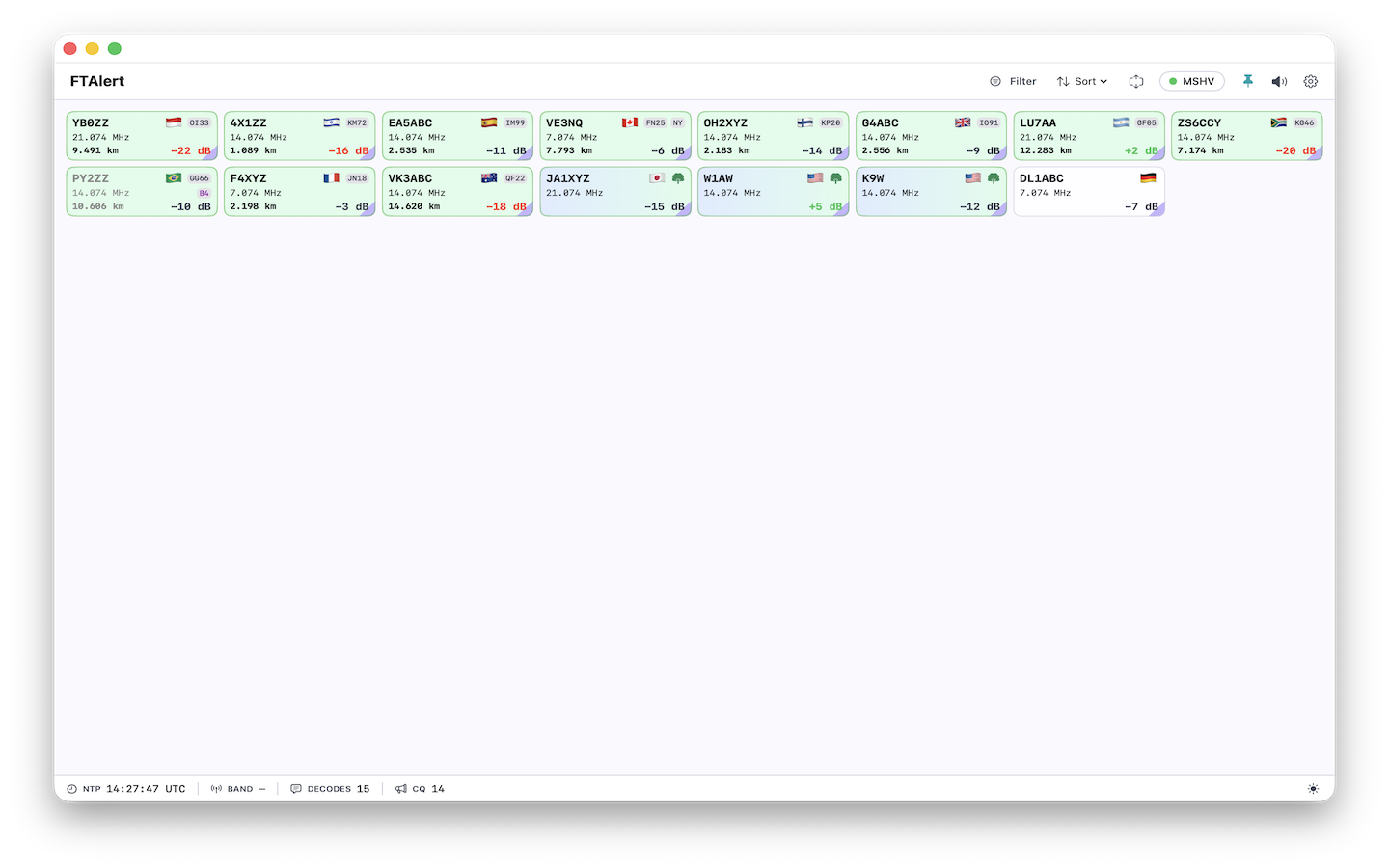
FTAlert is the native macOS alert companion for your digital-mode station. It listens to WSJT-X and MSHV decodes and instantly surfaces the signals that matter — your call, a new DXCC, POTA, SOTA and more.
Alerts
Never miss what matters on the bands
FTAlert matches every decode against your log and your wanted lists, then surfaces only the signals you care about.
Someone is calling you
Get pinged the instant a station decodes and calls your callsign.
New DXCC, all-time new ones
Never miss a rare entity or a DXpedition. Spot new countries and ATNOs the moment they appear.
Wanted callsigns & prefixes
Build a wanted list and let FTAlert watch the bands for you, around the clock.
Parks & summits on the air
Catch Parks-on-the-Air and Summits-on-the-Air activations as they are spotted.
Worked-before, current-band
See instantly whether a decode is a new one or a band you've already worked.
Directed CQ words
Match your own word list — "EU", "ASIA", "POTA" — against CQ calls in the stream.
Built for macOS
A first-class Mac citizen
No Windows-only workarounds, no Wine, no external sound files. FTAlert is native SwiftUI, end to end.
Quiet presence, always on
A clean menu-bar app with a responsive decodes window. Alerts are marked inline and never get in the way.
Native notifications & spoken alerts
System notifications when a wanted call or DXCC shows up, plus text-to-speech — free, on-device, no sound packs.
Local ADIF log import
Import your log once. Your worked history stays on your Mac and rebuilds atomically. No cloud required.
All matching happens on your machine
Decode processing and alert evaluation run locally. No account, no server round-trips, no tracking.
Setup
Running in under a minute
Point FTAlert at your UDP source
Choose your app and port — WSJT-X on 2233, MSHV on 2237. FTAlert listens on the same local UDP port your digital-mode app broadcasts decodes to.
Import your ADIF log
Drop in your log so FTAlert knows what you've already worked — new DXCC and B4 detection need it.
Pick the alerts you care about
Enable the alerts and wanted lists that matter, then keep operating. FTAlert watches every decode.
FTAlert is receive-only. It listens on your local UDP port and, if you enable it, sends only the protocol's Reply packet back to your digital-mode app. There is no raw PTT, rig control, frequency, or free-text transmit path — your station stays in your hands.
Made for your station
Everything you need, without the clutter
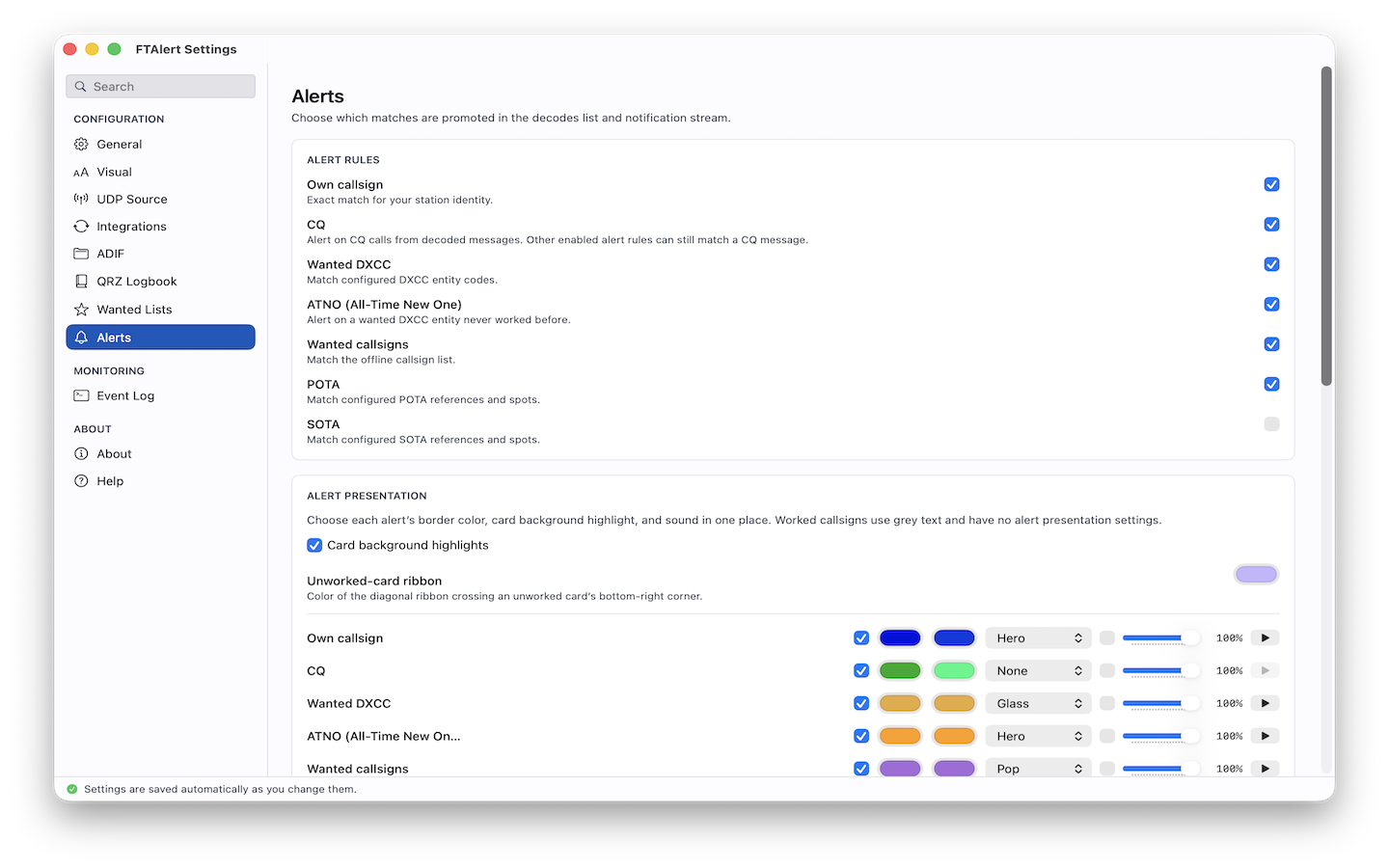
Set the alert rules, colors, sounds, and integrations that fit the way you operate.
Pricing
Start free. Go Pro when you need more.
Core decode alerts
- Your call, CQ & directed CQ alerts
- Wanted DXCC & B4 detection
- POTA & SOTA alerts
- Local ADIF import
7-day free trial · cancel anytime
- Everything in Free
- Wanted callsigns & prefixes
- Spoken alerts & per-alert audio
- ClubLog & QRZ QSO upload
- Priority support
Subscriptions are billed and managed by Apple. See privacy policy and support for details.
FAQ
Quick answers
Which digital-mode apps does FTAlert support?
WSJT-X and MSHV on the receive side — FT8, FT4 and the other modes they decode. See the support page for exact port settings.
Does FTAlert transmit or control my rig?
No. FTAlert is receive-only. It can send only the protocol's Reply packet back to your digital-mode app when you double-click a decode. There is no PTT, rig-control, frequency, or free-text transmit path.
Is my log data uploaded anywhere?
No. Your ADIF log is imported and stored locally. Optional ClubLog and QRZ uploads only happen when you explicitly configure and use them. Read the privacy policy.
What macOS versions are supported?
macOS 14 (Sonoma) and later, on both Apple silicon and Intel Macs.